Every tab cleanExact duplicates removedZero browsing telemetry
Explore the extension
Follow the workflow. Find the focus.
Instant clean-up. Exact duplicate removal.
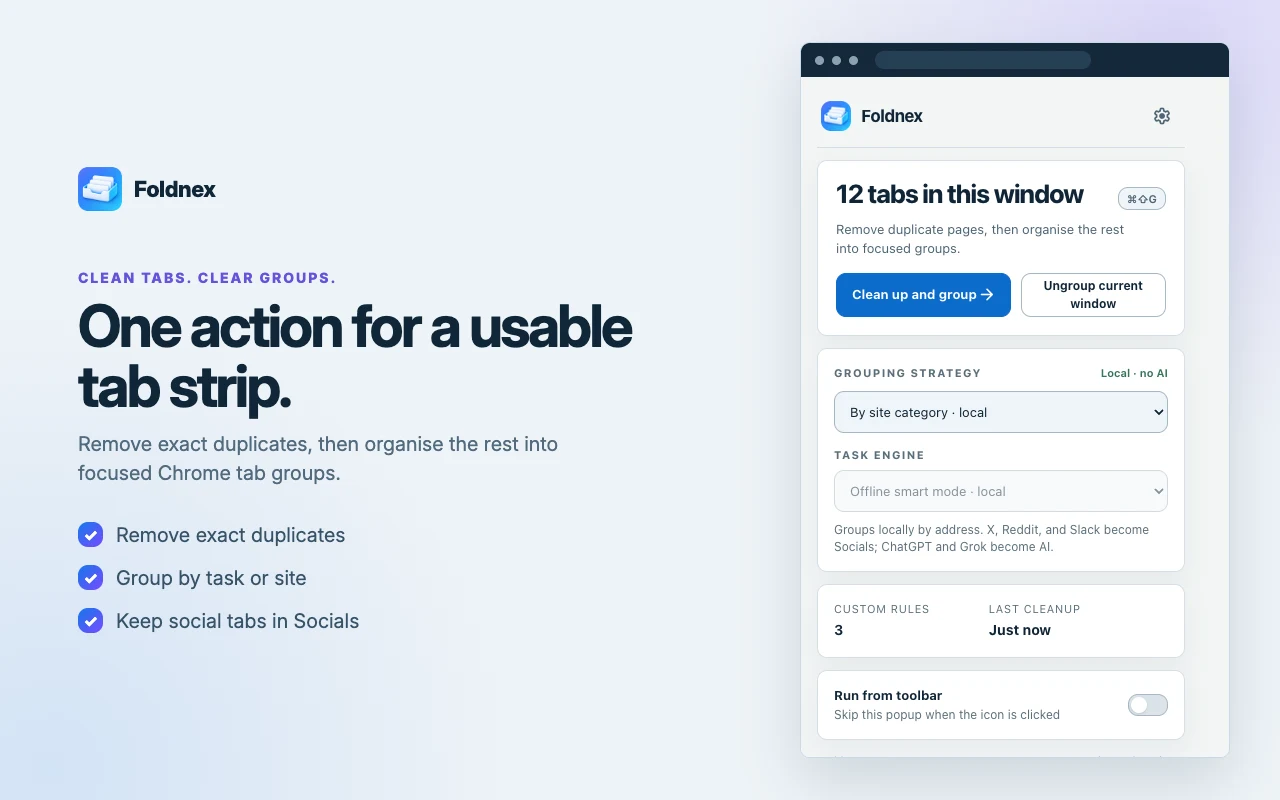
One click cleans your window. Exact duplicate tabs are safely closed while pinned tabs, browser internals, and sound-playing tabs are protected. Remaining tabs are grouped by topic or site with clear labels and colours.
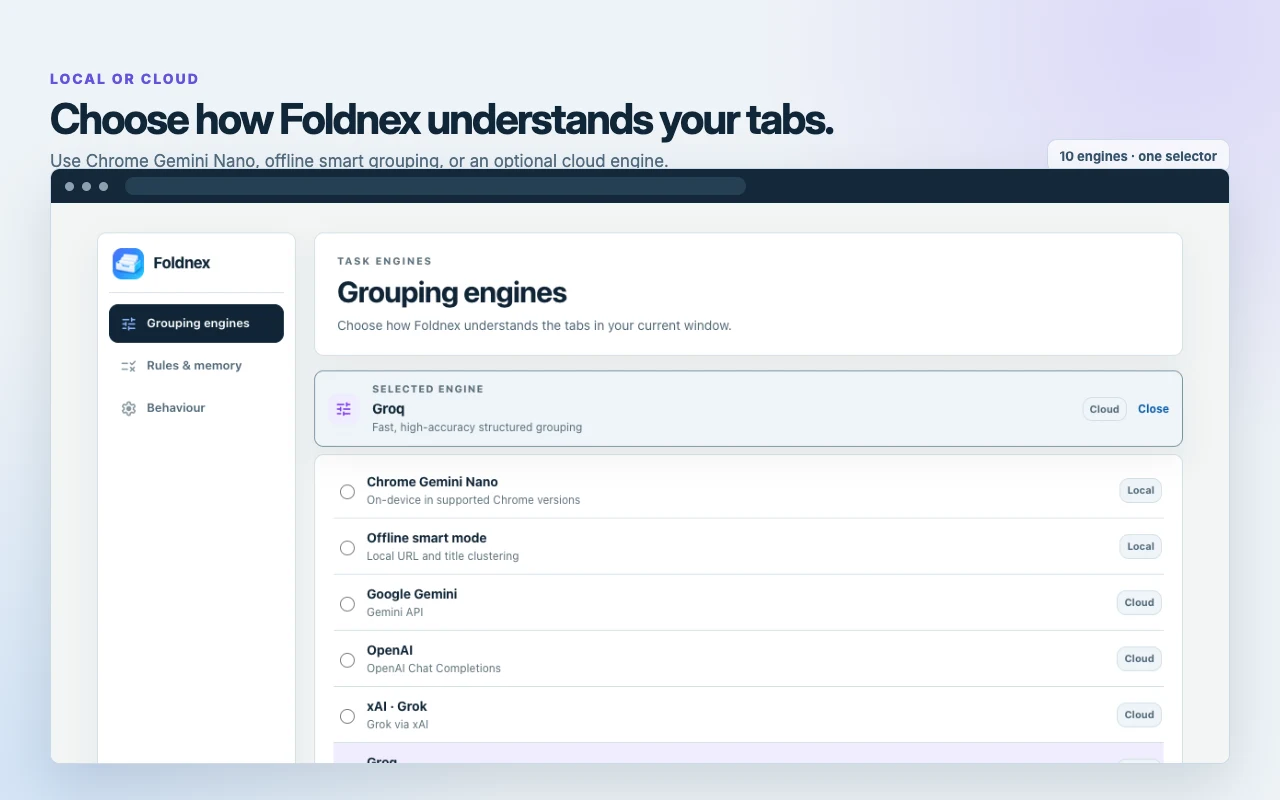
Switch between the By site category rules, Offline smart mode, Chrome built-in Gemini Nano, local Ollama, or a cloud model with your own key. No lock-in, no mandatory account, and 100% offline by default.
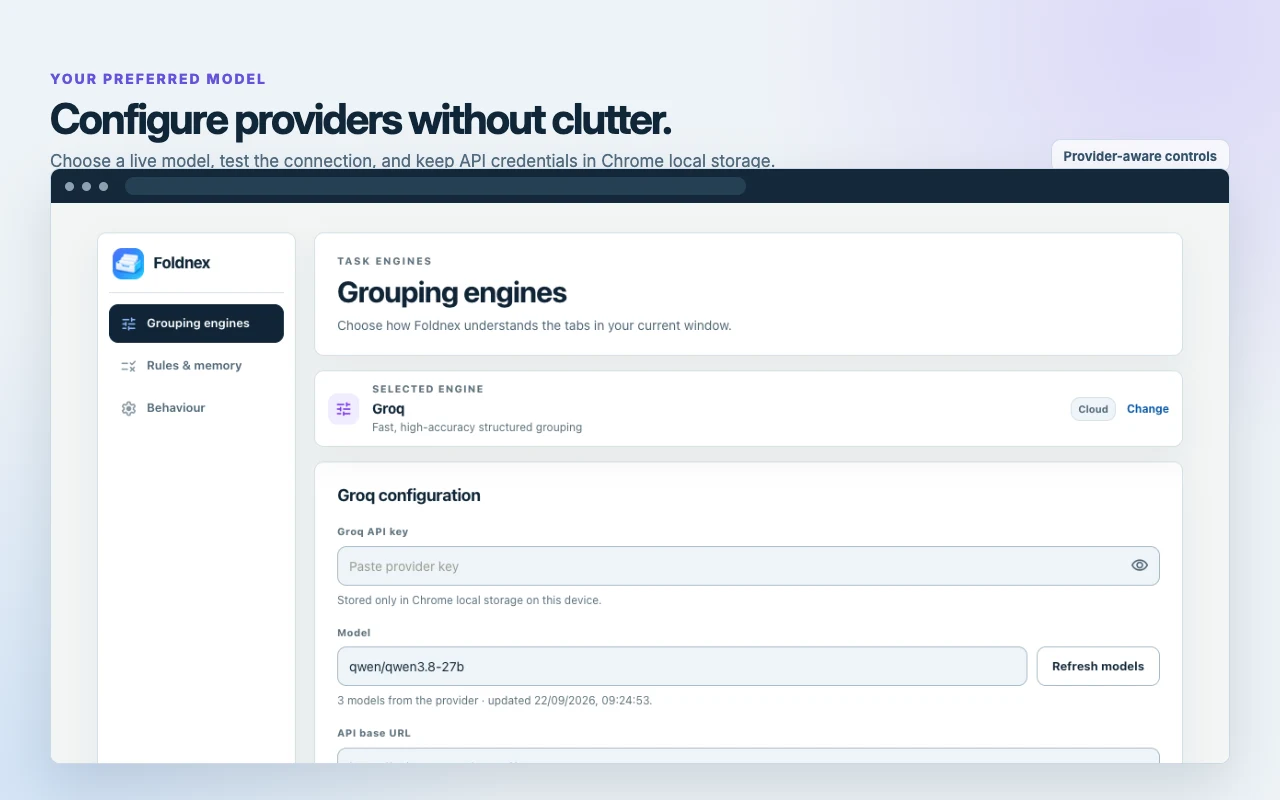
Connect OpenAI, Google Gemini, Groq, Cerebras, xAI Grok, DeepSeek, or OpenRouter with your own API key. Credentials are stored locally in the extension's storage on your device (chrome.storage.local); they are not sent to Magrathean.
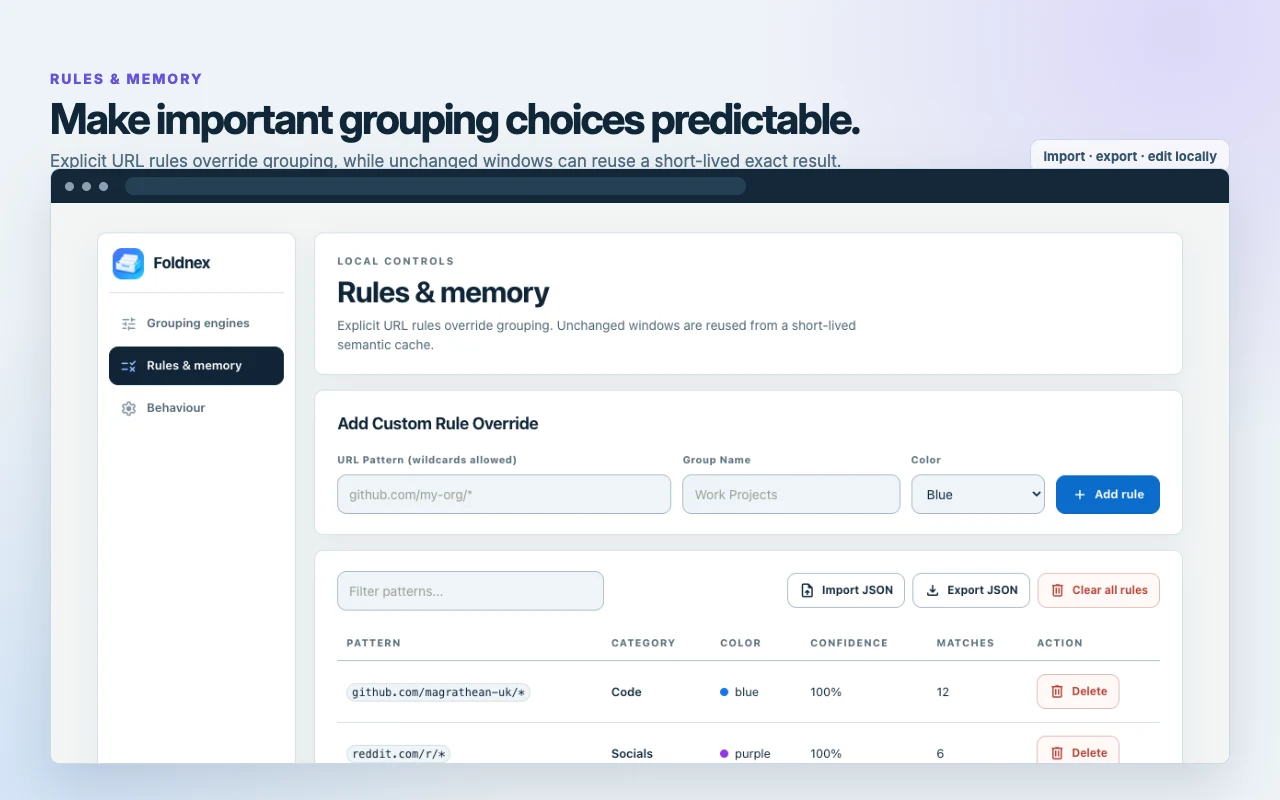
Override classifications with custom domain-to-category mappings. Foldnex remembers your preferred groups and caches recent grouping decisions locally for six hours so repeat tab clusters snap into place instantly.
Complete transparency. Zero mysterious background calls.
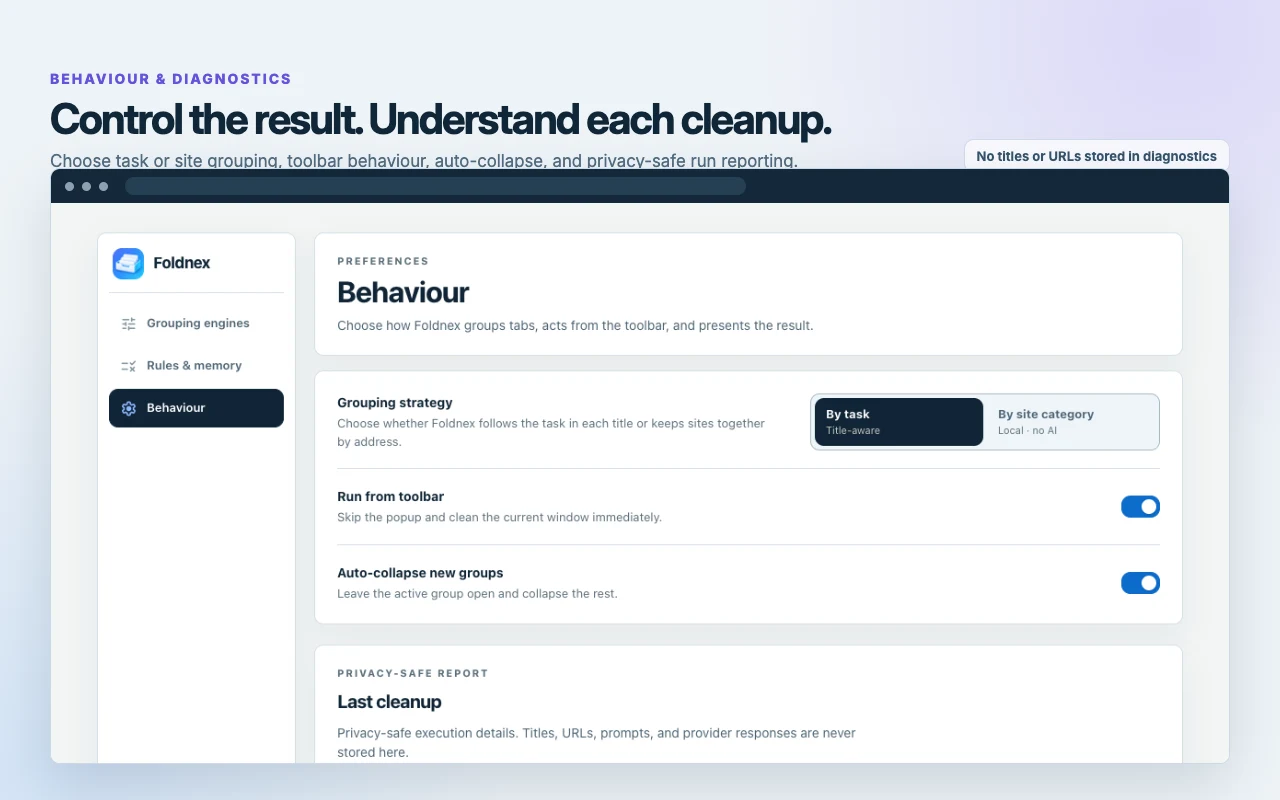
Inspect run diagnostics, latency, group count, and duplicate stats at any time. Tab queries strip URLs down to sanitised origin/path before prompting. No query params, no tracking tokens, no page body text.
Run entirely offline with no external requests using the By site category rules, Offline smart mode or Chrome built-in Gemini Nano. Or bring your own key for OpenAI, Google Gemini, Groq, Cerebras, OpenRouter, DeepSeek or xAI Grok, or point Foldnex at a local Ollama, with no intermediary servers.
By site category, Offline smart mode & on-device Gemini Nano.
Instant exact duplicate tab closure
Rule-based grouping by site category
Pinned tab & audio playback protection
Works offline with no external network traffic
Task-by-Task AI
Optional BYOK
100% private
Your own key for OpenAI, Google Gemini, Groq, Cerebras, OpenRouter, DeepSeek or xAI Grok, or local Ollama.
Groups tabs by the task you are working on
Custom project naming & colour palettes
Direct encrypted HTTPS from browser to provider
Keys stay in chrome.storage.local on your device
Foldnex is free and open-source software. Magrathean operates no intermediary proxy, logging server, or tracking database.
Get started with Foldnex.
Get Foldnex.
Download the latest release from GitHub and load it in Chrome as an unpacked extension (chrome://extensions, Developer mode). There is no Chrome Web Store listing yet.
Choose your engine.
Pick By site category or Offline smart mode for instant offline grouping, or enable on-device Gemini Nano.
One click to clean.
Click Foldnex in your toolbar or press Alt+Shift+F to organise all open tabs instantly.
Good to know
A few details.
Does Foldnex read my web page contents or form entries?
No. Foldnex uses Chrome's Manifest V3 tabs API to inspect tab titles and URLs in the current active window only. It does not inject content scripts into web pages, does not read page DOM bodies, and has no access to form fields, passwords, or personal messages.
Where are my API keys and tab data stored?
API keys are stored locally in the extension's storage on your device (chrome.storage.local); they are not sent to Magrathean and are never synced across machines. A key is sent directly over HTTPS to the provider you chose, and only when you run a grouping with that provider. Tab titles and sanitised URLs go the same way; nothing passes through Magrathean.
Can I use Foldnex completely offline without an API key?
Yes! Foldnex includes two built-in offline engines: "By site category" (rule-based grouping into Socials, Docs, Code, AI, Media) and "Offline smart mode". Both run entirely on your device with no external network requests.
What happens to query parameters and sensitive URL tokens?
When using an optional cloud AI engine, Foldnex sanitises every URL before creating the prompt: query strings (?token=..., ?q=...), tracking parameters (utm_...), user credentials, and URL fragments (#...) are completely stripped. Only the origin and path are sent.
Will duplicate removal close pinned tabs or playing audio?
No. Foldnex provides strict safety protections: pinned tabs, tabs currently playing audio, and browser-internal pages (chrome://, chrome-extension://) are preserved and never automatically closed as duplicates.
How does Foldnex behave in Incognito mode?
If you enable Foldnex in Incognito windows, it operates in ephemeral isolation. It does not save or read persistent rules, cache grouping entries, record diagnostics, or modify extension preferences during incognito sessions.

 View screenshot